Back to Agency & Consulting Work
Featured Project: Smith Optics

Simplifying prescription lens orders while steadying a tense project

Prescription wizard wireframes for Smith Optics, for single vision and progressive lenses.
My Role: UX Lead (contract)
Timeline: January 2020
Agency: DEG
Team: Account Manager, Visual Designer, Engineer, Business Analyst
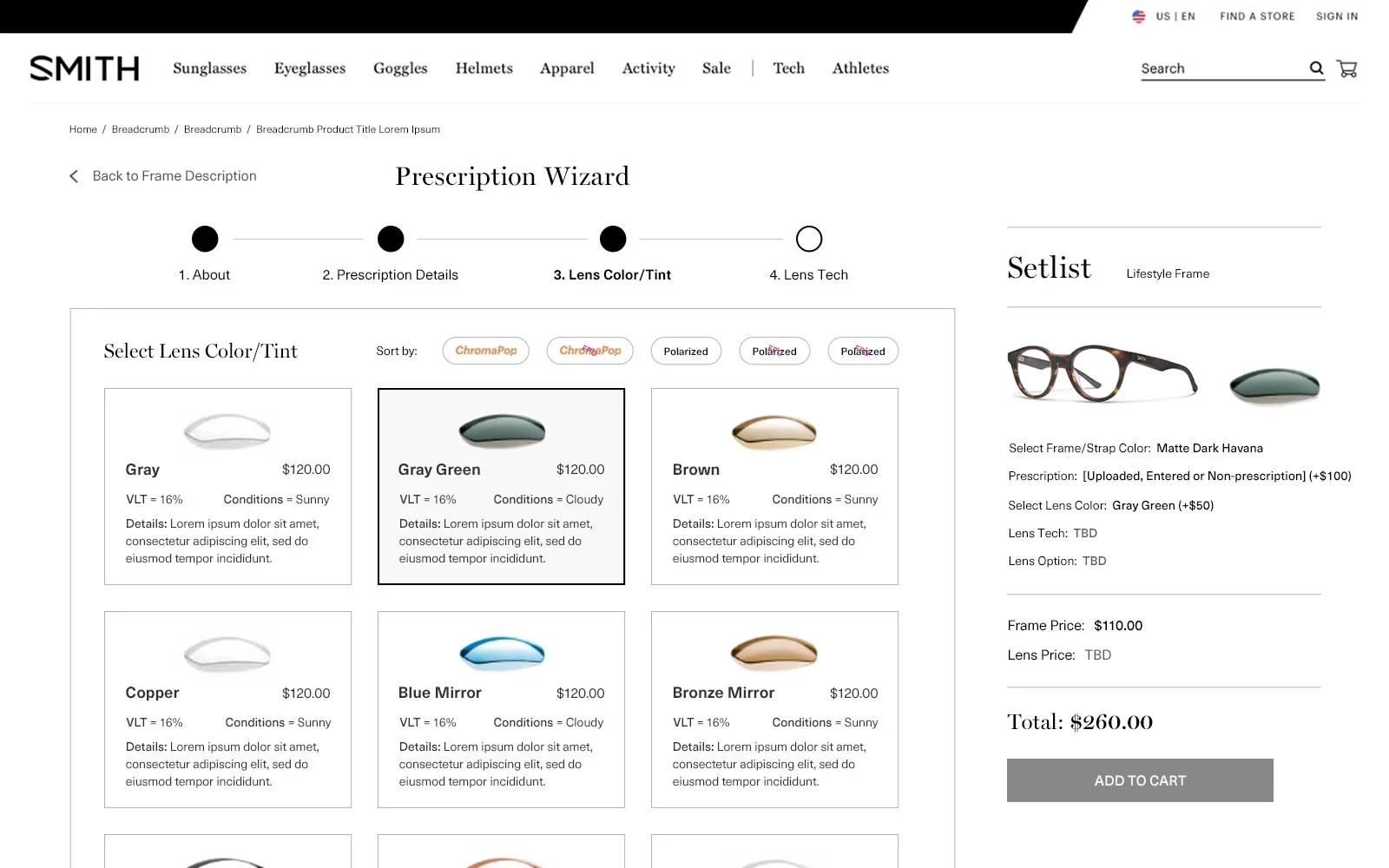
Visual design of the prescription wizard on the Lens Color/Tint step, with lens cards and a running order summary

Visual design by the team’s visual designer, built on my wireframes.

At a Glance

2 • Wizard Versions
Single vision and progressive, built on one pattern
4 • Steps for Progressive
About, prescription, lens color and lens options
3 • Starting Points
Enter a new prescription, use a saved one or upload a photo
1 • Running Total
A summary that updates with every choice

The Problem

Ordering prescription lenses online means a lot of decisions.

Shoppers choose how to provide their prescription, single vision or progressive, lens color and lens technology, with the price changing along the way. The wizard needed to make those choices feel simple and keep the total clear.

My Role

Contract UX lead through my consultancy, Orange Egg UX.

DEG brought me in partway through the project to take over UX from a previous designer, at a point when the client relationship was strained.

The Users

Smith shoppers who want prescription lenses in the frames they love.

Some know exactly what they need. Others are ordering progressive lenses online for the first time.

Step 1

I broke one big order into small, clear steps

The wizard opens with two simple questions: how will you provide your prescription, and do you need single vision or progressive lenses?

A summary on the right updates with every choice, so shoppers always see what they’ve picked and what it costs.

Clicking through the progressive version: three starting points, the lens type, then each step in turn
Step 2

I made the prescription details easy to get right

Shoppers enter their prescription with the accepted ranges shown next to each field, choose single or dual pupil distance, and can save it to their account for next time.

Uploading a photo of the prescription is its own short screen, so it never gets lost in the form.
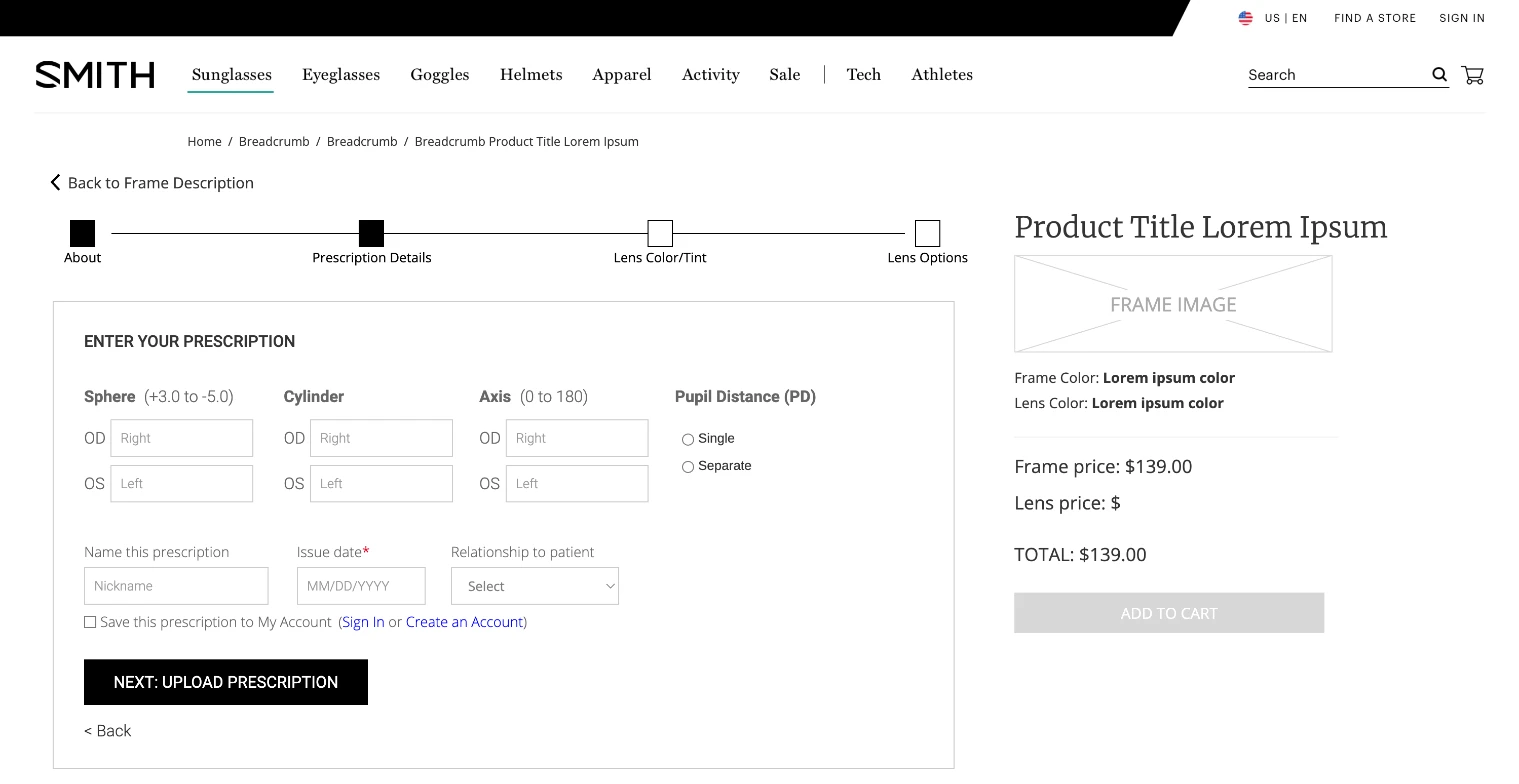
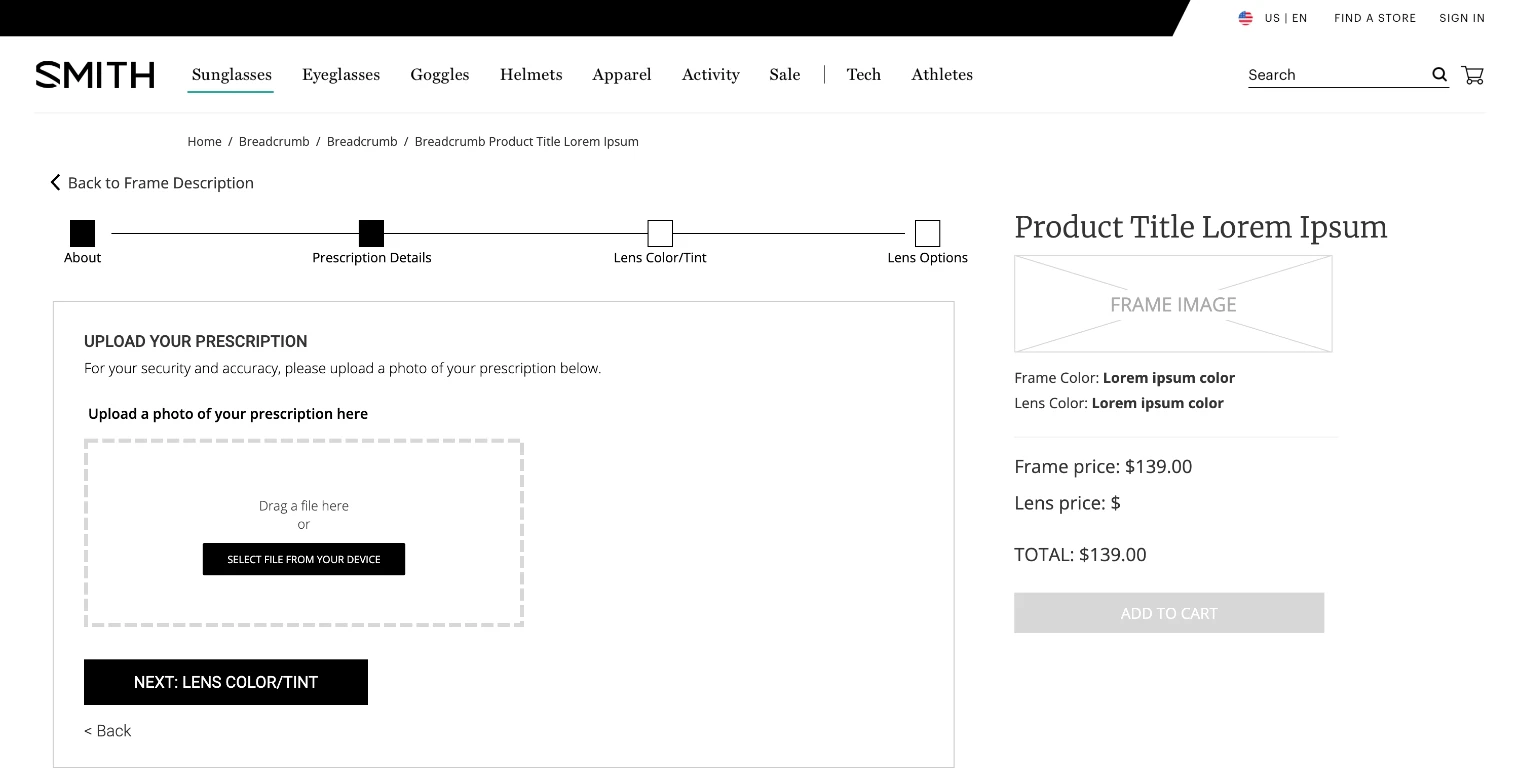
Enter your prescription: sphere, cylinder and axis for each eye, pupil distance, and an option to save it
Enter your prescription
Upload a photo of your prescription
Upload your prescription
Step 3

I designed one wizard that flexes for progressive lenses

Single vision takes three steps. Progressive lenses need one more choice, so that version adds a lens color step.

It’s the same wizard either way, with the same progress bar and summary, so shoppers never have to learn a second tool.
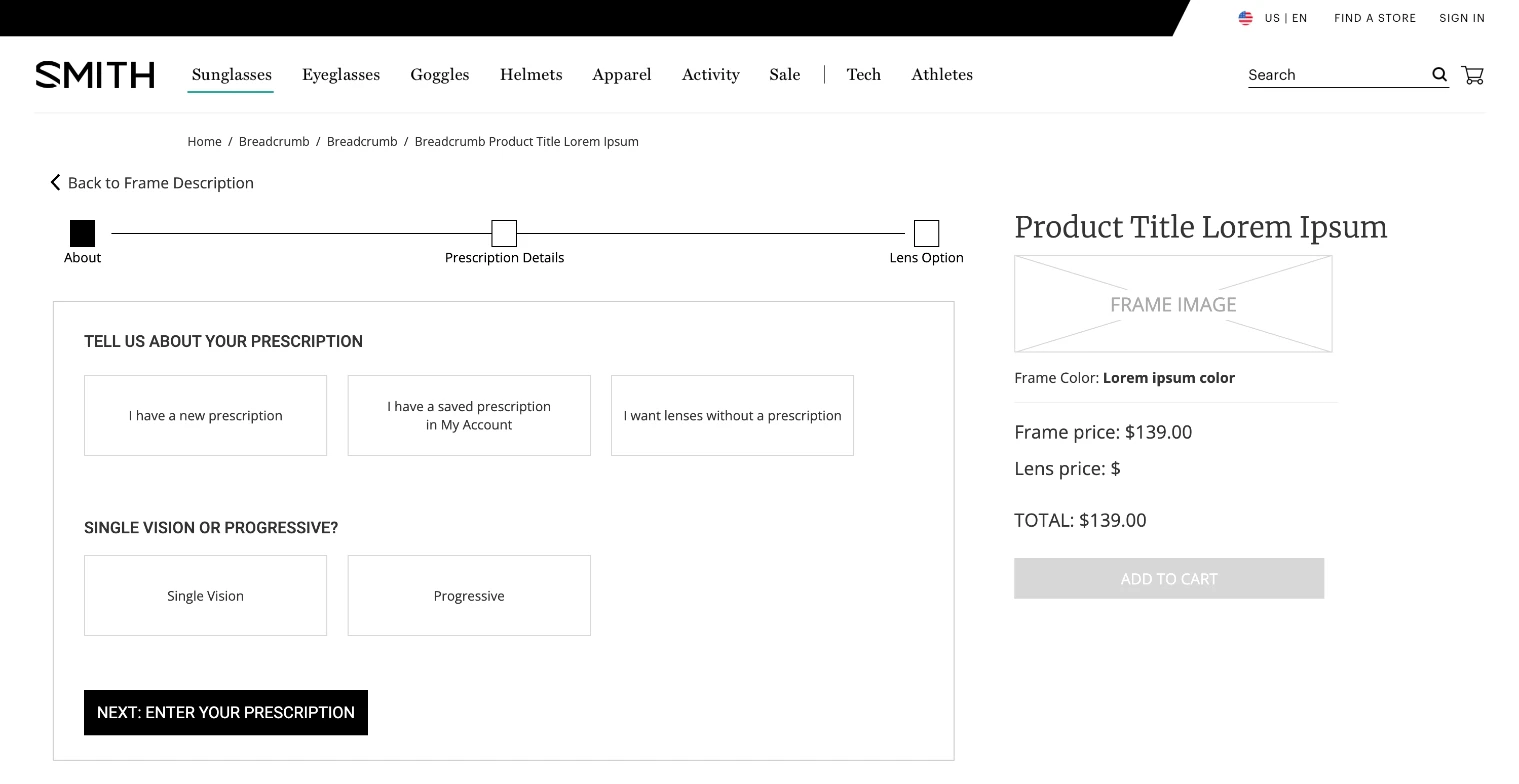
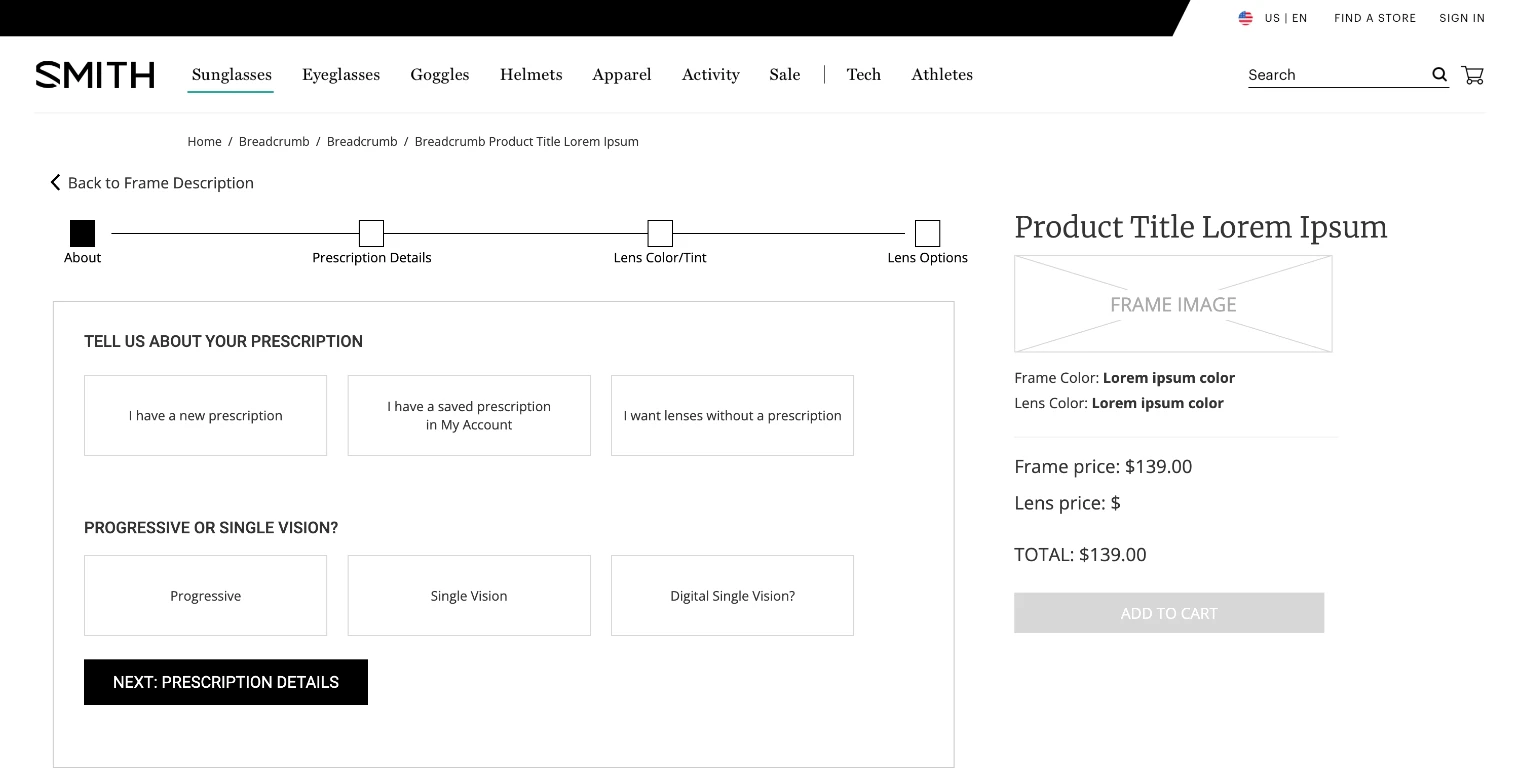
Single vision · 3 steps
Single vision version of the wizard with three steps: About, Prescription Details, Lens Option
Progressive · 4 steps
Progressive version of the wizard with four steps: About, Prescription Details, Lens Color/Tint, Lens Options
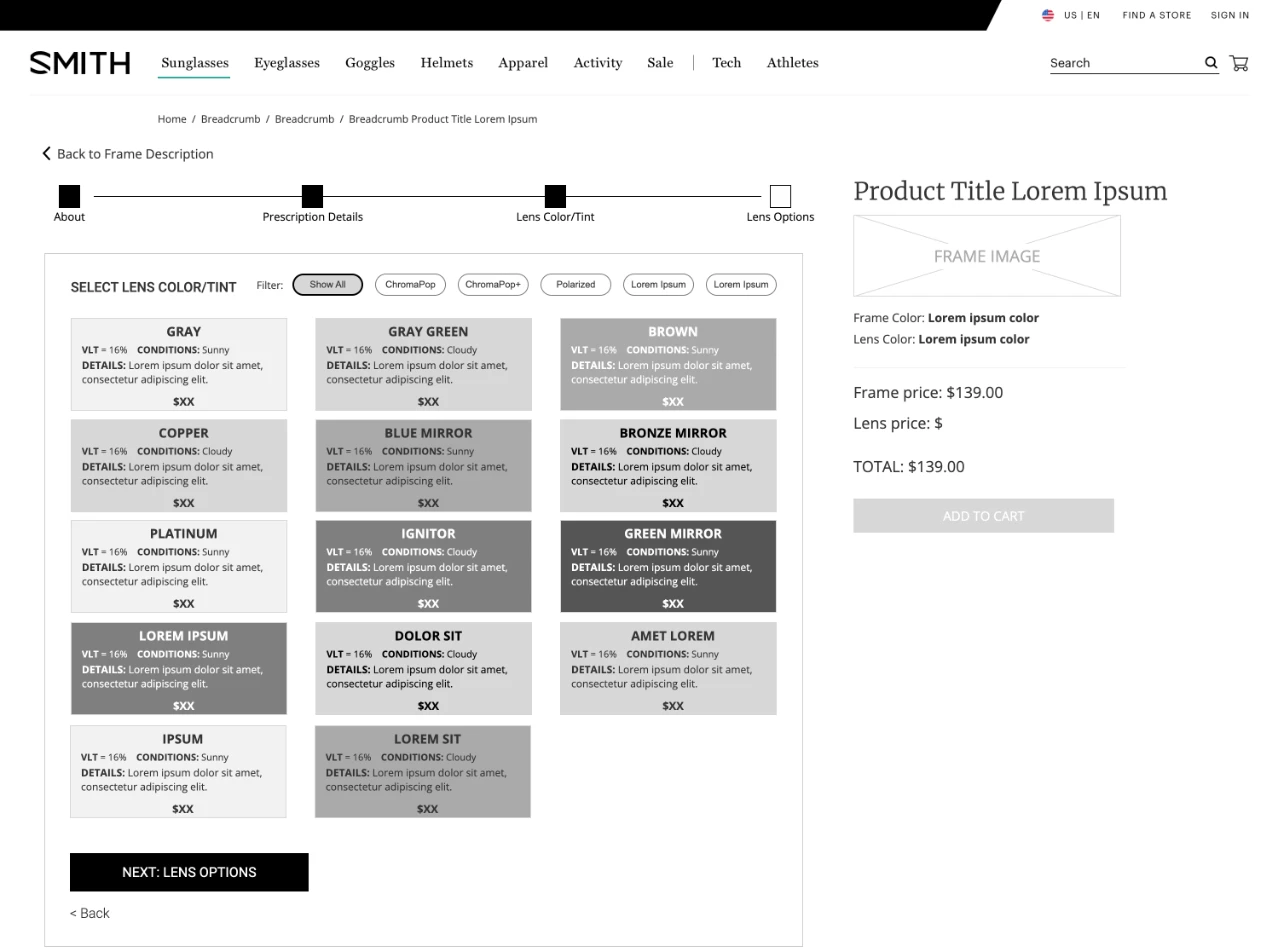
Lens color step with filters for ChromaPop and polarized lenses
Lens color, with filters for ChromaPop and polarized
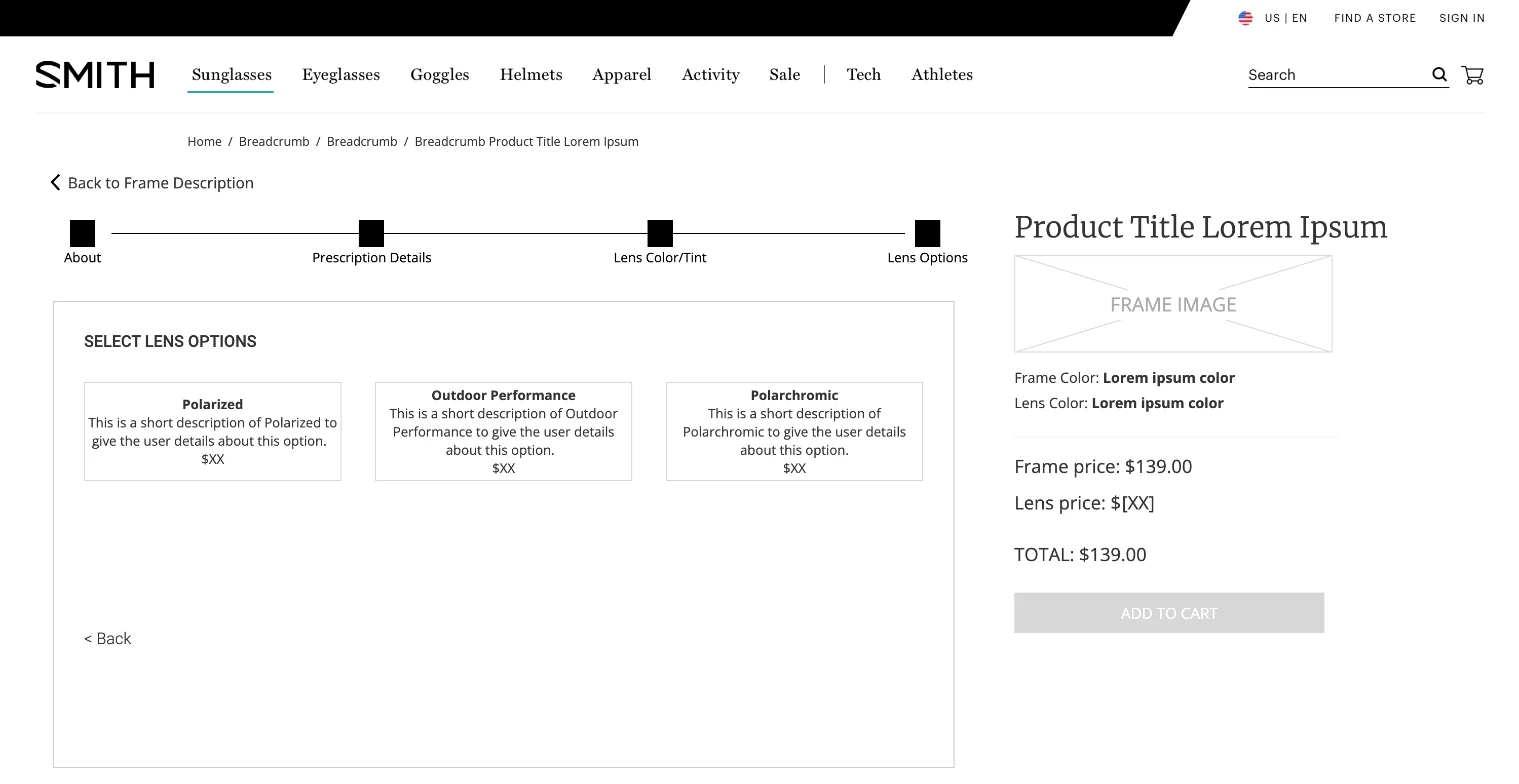
Lens options step: polarized, outdoor performance and polarchromic
Lens options
Step 4

The visual designer brought my wireframes to life

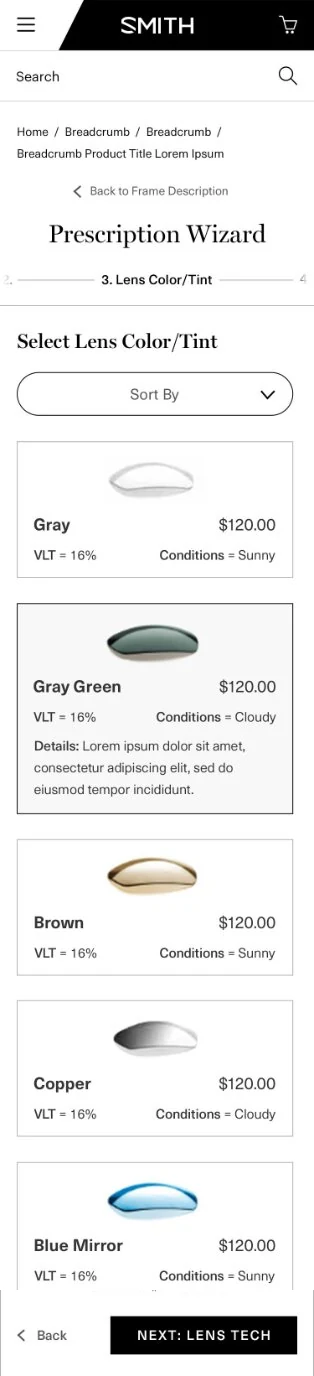
The team’s visual designer created the visual design from my wireframes, adding real lens images and the Smith look. The structure stayed the same: the steps, the filters, the running summary, and on mobile, the total and next step fixed at the bottom of the screen.
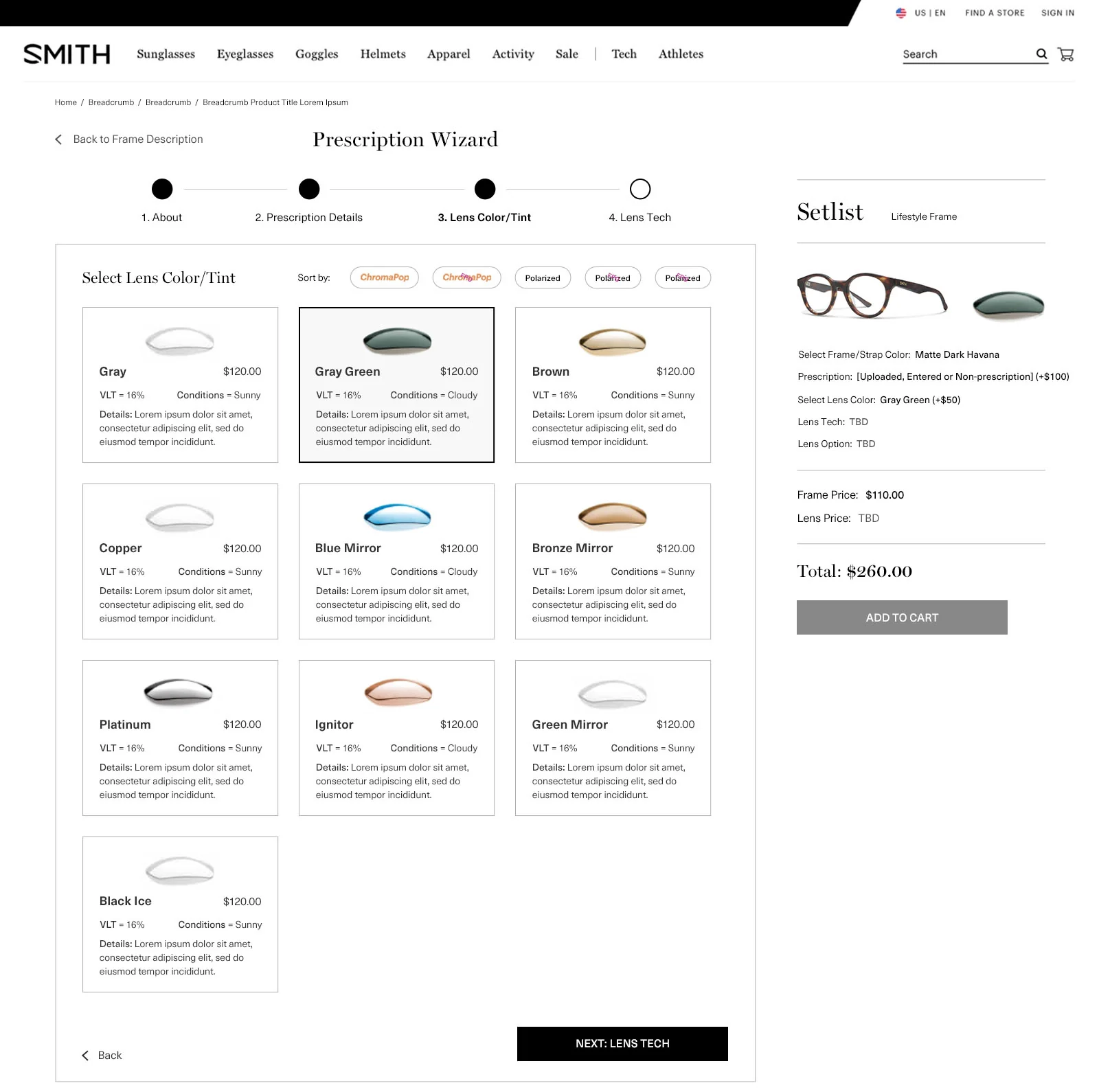
Visual design of the lens color step with lens images, filters and an order summary
Lens color step. Visual design by the team’s visual designer, built on my wireframes.
Mobile visual design of the lens color step with the total and Next button fixed at the bottom
Mobile visual design, with the total always in view
I was the steady voice in the room. When conversations got heated, I kept us focused on the design decisions in front of us, and the relationship settled as the work moved forward.

Outcome

One clear flow for both lens types. The wireframes gave the team a single wizard for single vision and progressive orders, and the client relationship steadied as the work moved forward.

What I Learned

Calm is contagious. Steady, clear communication can reset a tense client relationship faster than any deliverable.